How can I turn off TalkBack?
TalkBack can help blind and low-vision users by describing what you touch, select, and activate. You can go to Settings>More settings/Shortcuts&Accessibility>Accessibility>TalkBack to turn on the switch.
If you have turned TalkBack on by accident, you can follow these steps to turn off it:
Method 1:Press and hold the Power button to turn it off on the power menu
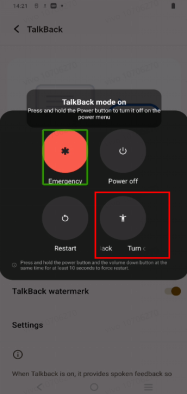
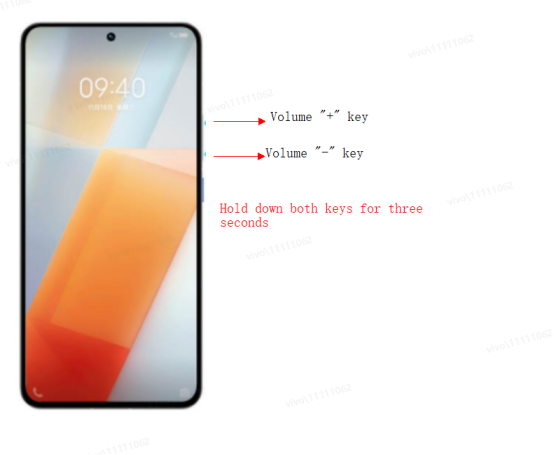
Method 2:Press and hold the volume "+" key and the power-off key for three seconds to enter the power-off interface and exit this mode.This method can be used to turn off the Talkbackonly if the volume key shortcut is turned on.
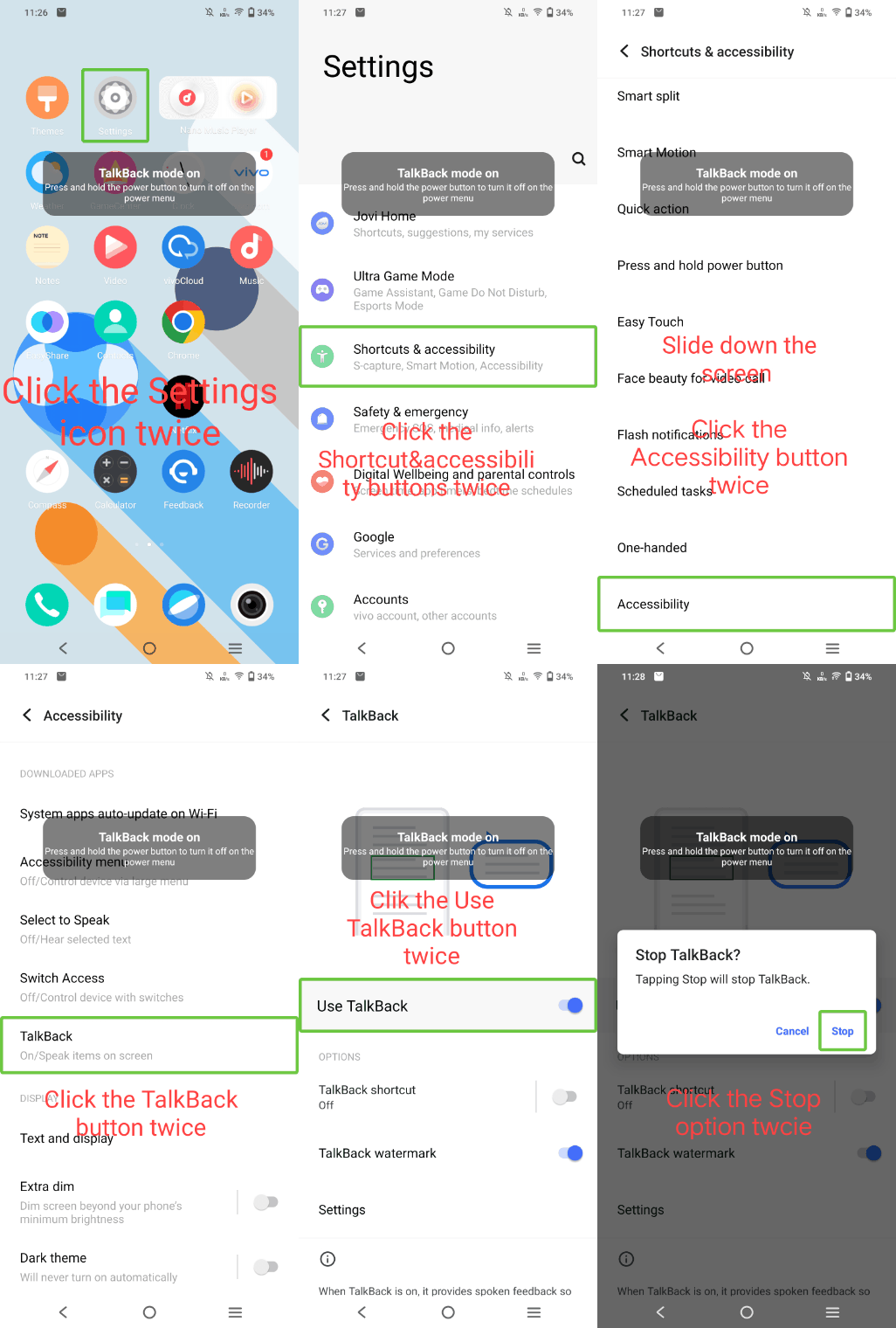
Method 3:
(1 )Tap Settings icon , and you will see a green frame
 around the Settings icon. Double-tap it to enter the Settings interface. Then you can use two fingers to slide upward;
(2) Find More settings/Shortcuts&Accessibility, tap it, then double-tap it. Use two fingers to slide upward until you find Accessibility;
(3)Tap it, then double-tap it. After that, tap TalkBack, then double-tap it;
(4) Tap the switch, then double-tap to turn it off.
You can also find a Talkback shortcut switch here, in order to prevent the Talkback from being turned on by a subsequent accidental touch, you can also turn off the Talkback Shortcut here.
This answer is sourced from Vivo Official Support. For the most current information, please visit the source.