How to Check Vivo Spare Parts Price Online in Tunisia
Vivo publishes official spare parts pricing for every phone model directly on its own website. It takes four clicks: open the price page, open the model dropdown, pick your series, then pick your exact model. Follow the screenshots below, taken directly from vivo Tunisia's official page.
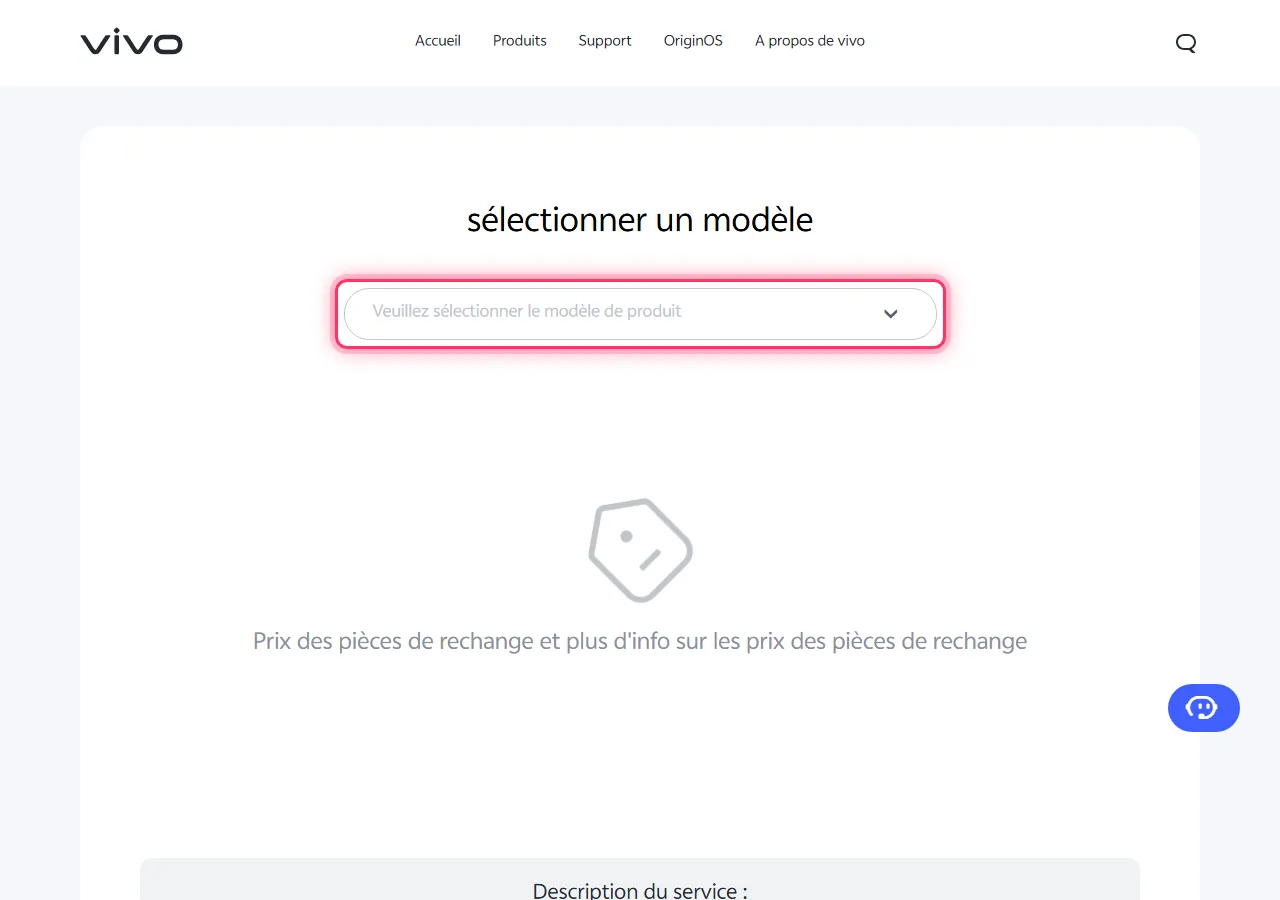
1Open the official Vivo price page
Go to vivo Tunisia's official spare parts and accessories page. You'll see a "Select your product model" box with a dropdown that's empty by default — highlighted below in pink to show where to tap.
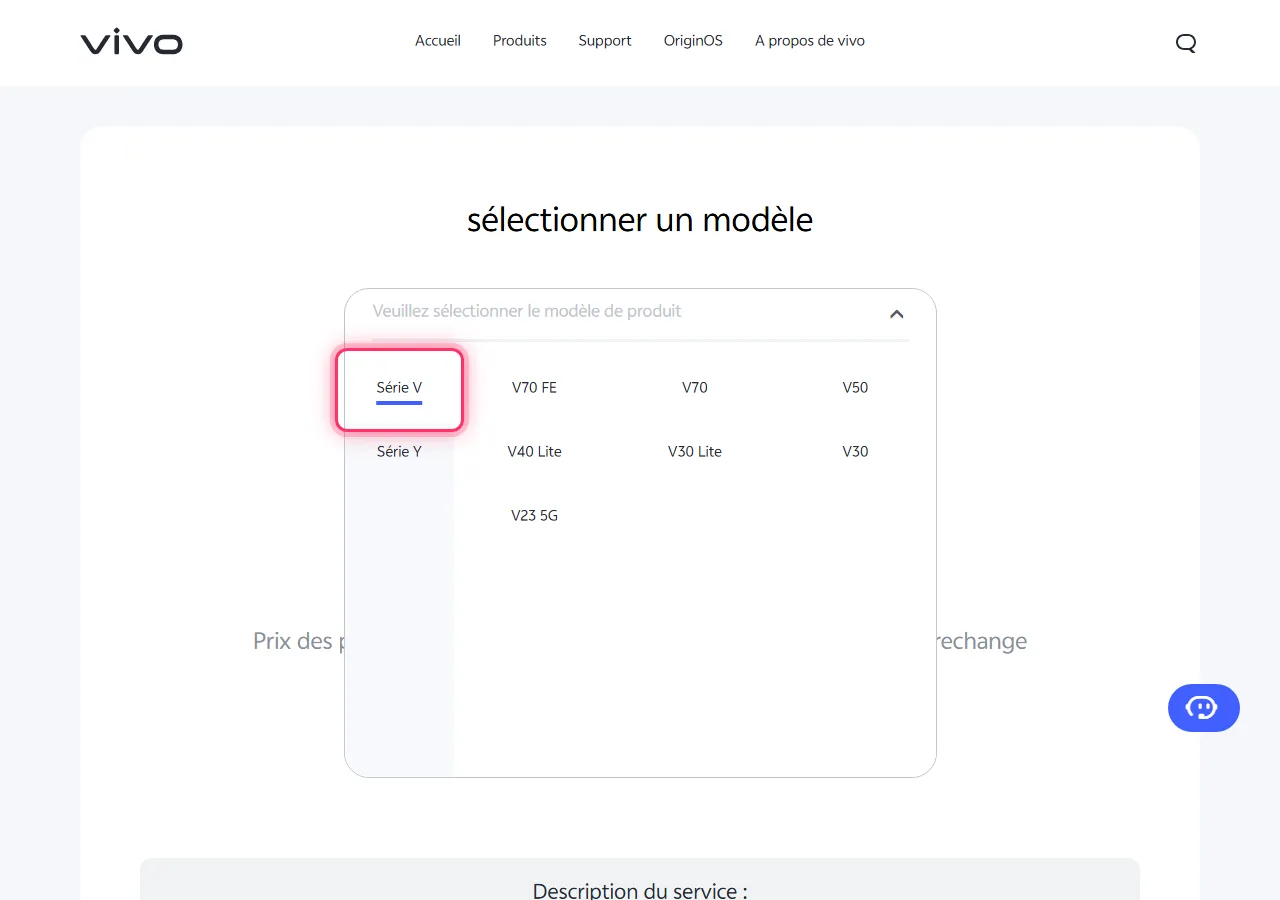
2Click the dropdown to open the model picker
Tap the "Please select the product model" box. A panel opens with every Vivo phone series listed on the left and that series' models on the right — the series to tap next is highlighted below.
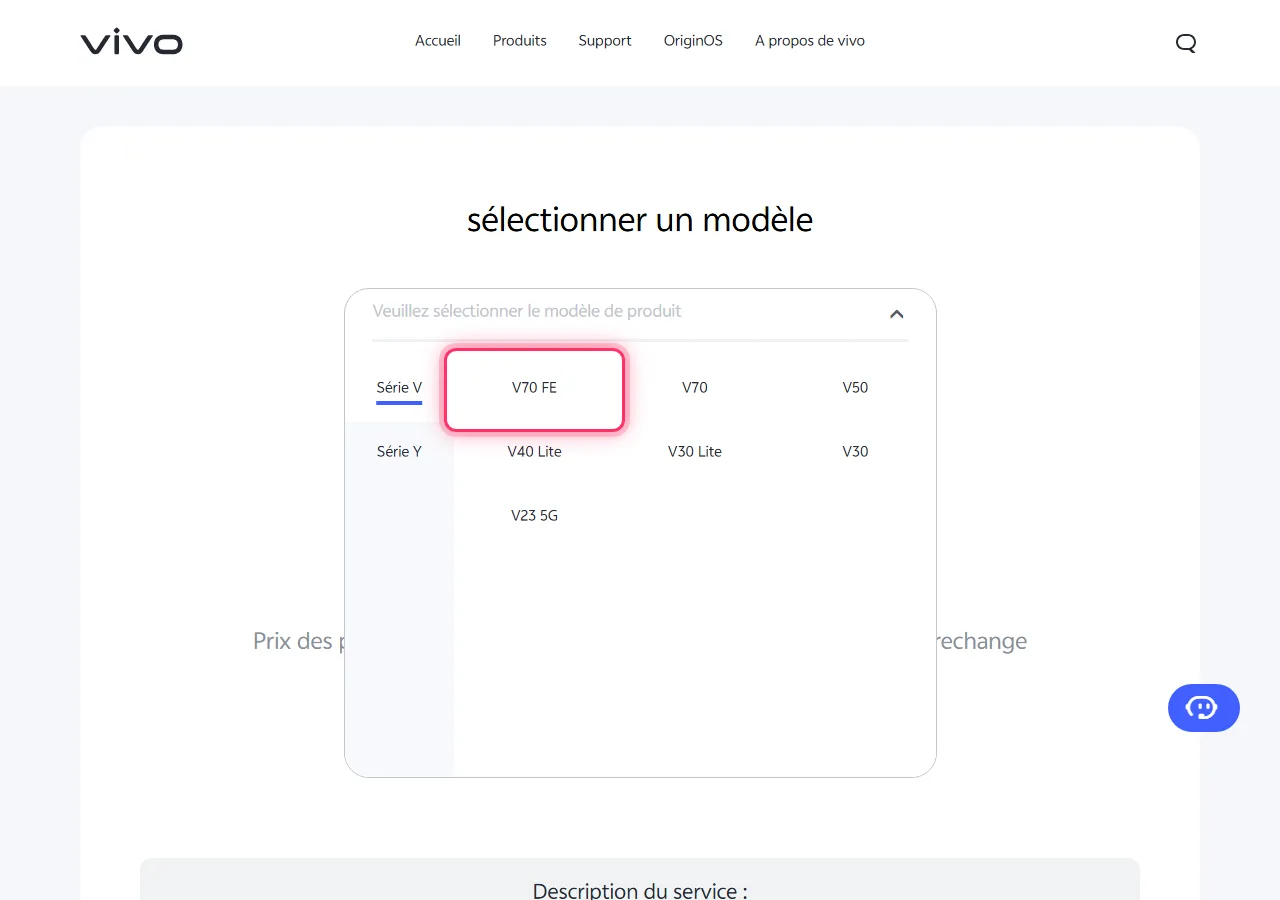
3Choose your phone's series
Tap the highlighted series from the previous step. The model list on the right updates to show only phones in that series, with your exact model highlighted below.
Frequently Asked Questions
Are the prices shown official?
Yes. This tool queries vivo Tunisia's own spare-parts pricing system directly — the same prices you'd be quoted at an authorized Vivo service center, inclusive of applicable taxes.
I can't find my exact model in the list. What should I do?
Some very new or region-limited models may not yet be listed on the official price page, and older discontinued models are sometimes removed. If your model is missing, check our full model list for its price instead, or contact your nearest Vivo service center directly.
Does the listed price include labour/fitting cost?
The price shown is the part's maximum retail price. Labour or fitting charges are usually added separately at the service center and can vary by location — ask for a full quote before confirming a repair.
Prefer to browse instead of using the official checker? See our full list of Vivo models and prices for Tunisia.